
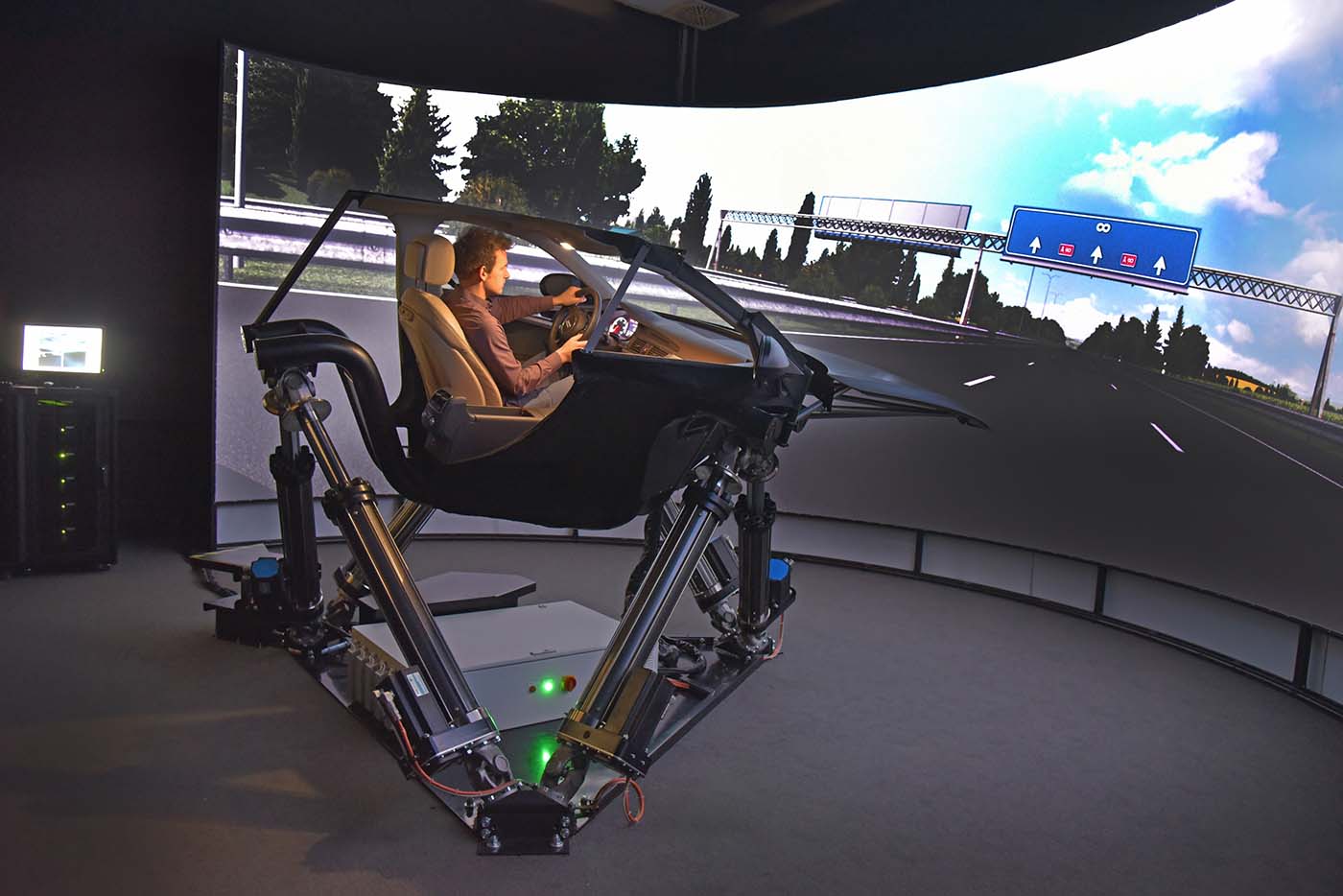
Thanks to advances in the industry and the widespread availability of a variety of actuators, moving elements, and different motion software, we can represent, in more or less reasonable ways, some of the sensations transmitted inside the cabin of a moving vehicle. This brings us to the flip side of the coin, as there is no established standard determining which movements are appropriate for a simulator. Although there are many good ideas circulating online, many of them lack proper documentation. Therefore, this article aims to shed some light on the subject, making information more accessible and helping those interested in improving their motion systems.
In this second part, we aim to complement some of the information published in the previous article. As a reminder, we explored how the car and driver are affected by different forces. This section seeks to address questions such as:
How are these forces applied to a motion simulator? Does my simulator have the ability to make me feel the same movements as a real vehicle?
We will try to clarify these types of doubts and provide some variety to the topic.
Simulated and Emulated Forces
Let’s take any vehicle as a reference and set the stage with a simple experiment. Imagine you could drive a vehicle blindfolded at high speed, taking curves and encountering changes in the track’s elevation. What sensations and effects would you perceive in your body? If we performed the same exercise in our simulator, also blindfolded, what movements should our motion simulator perform to mimic the sensations we experienced while driving a real car blindfolded?
With this sensory comparison, I want us to realize which types of movements would be easy to reproduce in our simulator and which would not be as straightforward. I’ll give you a heads-up: there are a series of movements called simulated and others called emulated, as we’ll see below:
- Simulated forces are those movements created by our simulator that, while not identical to real ones, bring us closer to the sensations they would transmit in reality. For example, in the case of the rotational axes “Pitch, Yaw, and Roll,” they aim to make us feel as though we’re being pressed into or lifted off the seat due to G-forces. This is just a sensory trick achieved by tilting or swaying us in the seat (remember the blindfold experiment).
- Emulated forces are those movements in our simulator that realistically mimic the real movements of a car. While blindfolded, we wouldn’t notice the difference between a simulator and a real car. For instance, using the Pitch axis to emulate steep climbs or descents in the terrain would tilt our simulator in the same way a real car would. Similarly, movement along the Heave axis could make us feel as though we’re actually driving over bumps and uneven surfaces, as the motion described by this axis in the simulator closely resembles the vertical movement of a car crossing bumps or curbs.
SPATIAL MOTION AXES
Motion axes are a set of coordinates that allow us to represent an object’s movements in space. It’s important to familiarize ourselves with these axes, as any motion system bases its operation on their assignment.
The maximum number of axes that can be emulated is six, and by combining all of them, we can achieve any movement imaginable.
They are generally written in English, as some lack a direct translation into Spanish or their use in Spanish is uncommon. Their names are: Pitch, Yaw, Roll, Heave, Surge, and Sway.
- They are classified into rotational axes and linear axes:
Rotational Axes:
Rotational axes involve rotation around the X, Y, and Z axes and are commonly used in flight simulators. In driving simulators, they are considered simulated axes because they attempt to reproduce the sensations of a vehicle’s G-forces in systems with three or fewer axes. However, as we’ll see, using virtual reality goggles greatly enhances the illusion that these rotational axes are providing “G-forces.”
PITCH: This is the rotation around the transverse Y-axis, consisting of a forward or backward tilt. In a simulator, it’s used to emulate changes in elevation (steep climbs or descents) or to simulate G-forces during braking or acceleration.
YAW: This is the rotation around the vertical Z-axis. This movement perfectly emulates loss of traction, understeer, and oversteer (recall the compensatory forces from the previous article).
ROLL: This is the rotation around the longitudinal X-axis. In a simulator, this movement is used to represent simulated forces such as road slopes and banking, or to emulate G-forces when cornering.
In summary, these three axes are the most commonly used in simulators with up to three axes (3DOF). Depending on how we configure them, they can offer emulated forces, simulated forces, or a combination of both.
Linear Axes:
Linear axes involve straight-line displacement of objects along the X, Y, and Z axes.
Their use is less widespread, as they require systems with three or more axes—ideally six—for the full development of all their movements.
These axes are used to emulate G-force sensations, though only for a fraction of a second. This also requires expensive actuators capable of moving us at speeds exceeding 800mm/s.
However, this G-force isn’t real, as it couldn’t be sustained for the duration of a real acceleration. Achieving this would require a large infrastructure with enough space to propel us at a specific speed over a long distance.
HEAVE: This consists of linear displacement along the Z-axis, resulting in upward or downward movement. In a simulator, it’s used to emulate road unevenness, curbs, and sudden terrain changes (rally). Alternatively, terrain bumps could also be simulated by combining the two rotational axes, Pitch and Roll.
SURGE: This is sustained displacement along the X-axis, producing forward and backward movement. It’s used in simulators to emulate G-forces during acceleration or deceleration and abrupt gear changes (this movement can also be simulated by the Pitch axis tilting).
SWAY: This consists of linear displacement along the Y-axis, causing left-to-right movement. It’s likely the least-used axis in simulators, as it requires systems with at least five axes (5DOF). It can be used to emulate sudden lane changes or sharp steering inputs. This movement can also be simulated by the rotational Roll axis.
So far, we’ve broadly covered the basics of motion in a car and its application to spatial axes. From now on, experimentation is key, as we’ll see in the next article that the possibilities are nearly limitless, presenting us with many types of systems to configure each of our motion axes.